Share / bookmark — main link for this workshop:
https://oliverliamjones.com/3dprints
3dprints.oliverliamjones.com? If Edge shows DNS_PROBE_FINISHED_NXDOMAIN, public DNS for that name is not ready yet — use the link in this amber box until it resolves everywhere.
Turn art & words into printable mesh
Height-map relief from pictures · quick keyword shapes for desk bits. Download .stl and open in Cura, Bambu Studio, Orca, PrusaSlicer — then print or copy to a USB stick.
STL creator — pictures & smart text
Build a downloadable .stl file here in your browser. Nothing is uploaded to a server.
Shrinks the downloaded STL from this page so parts fit a smaller build plate. Does not change the pre-made files below — for those, use your slicer’s scale (often % or uniform scale).
1. Put in an image → relief STL
Choose a JPG or PNG. Darker areas print lower; brighter areas print higher. Start with high-contrast art for clearer results.
Drag a picture here
or click this box / use Choose file below
Ideas from the community (examples)
These are tips, not uploads — try similar art for a clear relief. Your own downloads can be stored below on this phone or computer only.
My saves (this device)
Relief STLs you saved here stay in your browser until you clear site data. Open the file in Cura, Bambu Studio, Orca, etc.
No saves yet — download a relief STL with “save to My saves” turned on.
2. Describe a shape → preset STL
Type what you want in plain English. We match keywords and generate a simple preset (stand, clip, tray, hook, etc.).
Download everything
One zip with all models — easy to copy to a USB drive for your printer PC.
Download ZIP (all STLs)Fan trinkets — paint your own colors
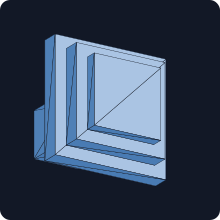
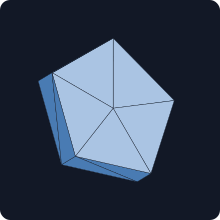
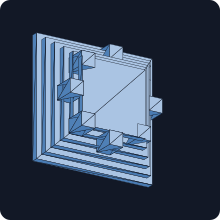
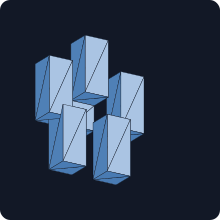
We cannot distribute official Nintendo character models (Mario, Luigi, Peach, Bowser, etc.). These downloads are generic shapes — mushrooms, stars, shells, and flowers — meant for you to paint or customize. Not affiliated with Nintendo.
| Preview | Model | Notes | |
|---|---|---|---|
|
Mushroom trinket | Blocky cap + stem — paint red/green for two “brothers” vibes, or any palette you like. | |
|
Star trinket | Extruded pentagon — a simple power-up style token; not a copy of any game asset. | |
|
Spiked shell trinket | Domed stack with bumps — suggestive of a turtle shell; paint and scale as you like. | |
|
Flower trinket | Five petals + center — paint pastels or gold for a royal desk flair. |
Individual STL files
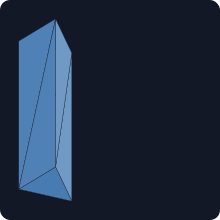
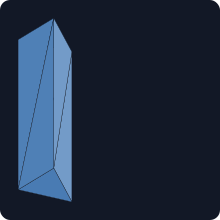
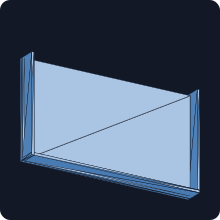
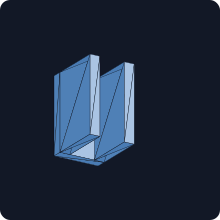
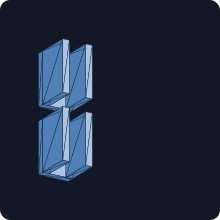
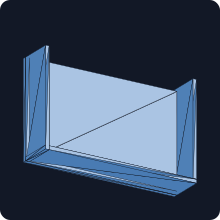
Each row includes a 2D preview (flat-shaded render of the mesh — not a photo).
| Preview | Model | Notes | |
|---|---|---|---|
|
Table stand (Switch 1–style size) | Wedge rest for handheld/tablet edge — verify width vs your device. | |
|
Table stand (Switch 2–style size) | Slightly larger wedge — still verify; official dimensions vary. | |
|
Mouse pad riser (Switch 2 footprint) | Low tray with back and side lips — open at the front for mouse movement; same ~128 mm width idea as the Switch 2 stand. Pair with a desk mat or scale in your slicer. | |
|
USB-C cable clip | Small U-shaped clip; print flat on the bottom face. | |
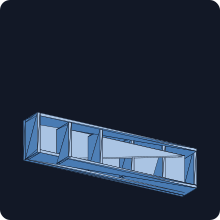
|
Game card slot tray | Shallow tray with dividers — check slot size vs your cards. | |
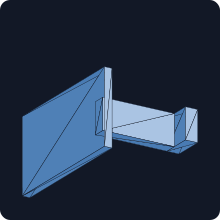
|
Headphone desk hook | Back plate + arm + lip — mount on a wall or tall surface; add adhesive or screws as you prefer. | |
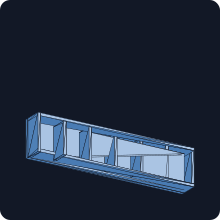
|
Micro SD card tray | Six narrow slots — measure your cards; scale if needed. | |
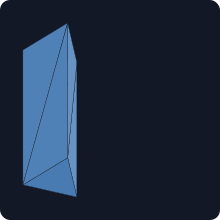
|
Phone riser stand | Smaller wedge — good for a phone or compact handheld; verify width. | |
|
Dual USB-C cable clip | Two U-clips in one part — route two cables along a desk edge. | |
|
Open desk tray | Shallow tray with three sides — dice, earbuds, or small bits. |
Getting files to your printer: use Download, then in your slicer use File → Open and pick the STL. To move to another computer or USB stick, copy the downloaded file in your file manager. Copy link saves the full URL (handy for cloud slicers or sharing).
Print tips
- PLA is fine for indoor desk use; PETG if it gets warm near a window.
- Start with 0.2 mm layers and 15–20% infill for stands; clips can use 3 walls.
- If the stand is loose or tight, scale 98–102% in the slicer on the width axis only.
- Small build plate: in the STL creator, pick 50% or 40% under Print scale before downloading; or open any
.stlin your slicer and set uniform scale to fit your bed.
Regenerate models (optional)
Source script: 3d-print/generate_switch_accessories.py. On a machine with Python 3:
cd 3d-print
python3 generate_switch_accessories.py
python3 render_stl_previews.py
After changing STLs, run render_stl_previews.py to refresh the 2D preview SVGs in 3d-print/previews/.